
Track working hours
Record when work, travel and breaks begin. The server confirms each time entry in your browser.
LeanClock for your working day
Working hours, leave, projects and field service in one clear overview – in the office and on the go.
Up to 3 licenses, free forever · directly in your browser
Just get started
Determine the working time model, invite the team and prepare for the first assignment. The help in LeanClock guides you step by step through the setup.
Record when work, travel and breaks begin. The server confirms each time entry in your browser.
Assign jobs and absences. Your role and company permissions determine which views you can use.
Review the day's timeline and explain any changes. Reminders help you keep track.
On the computer, on the go and at the terminal
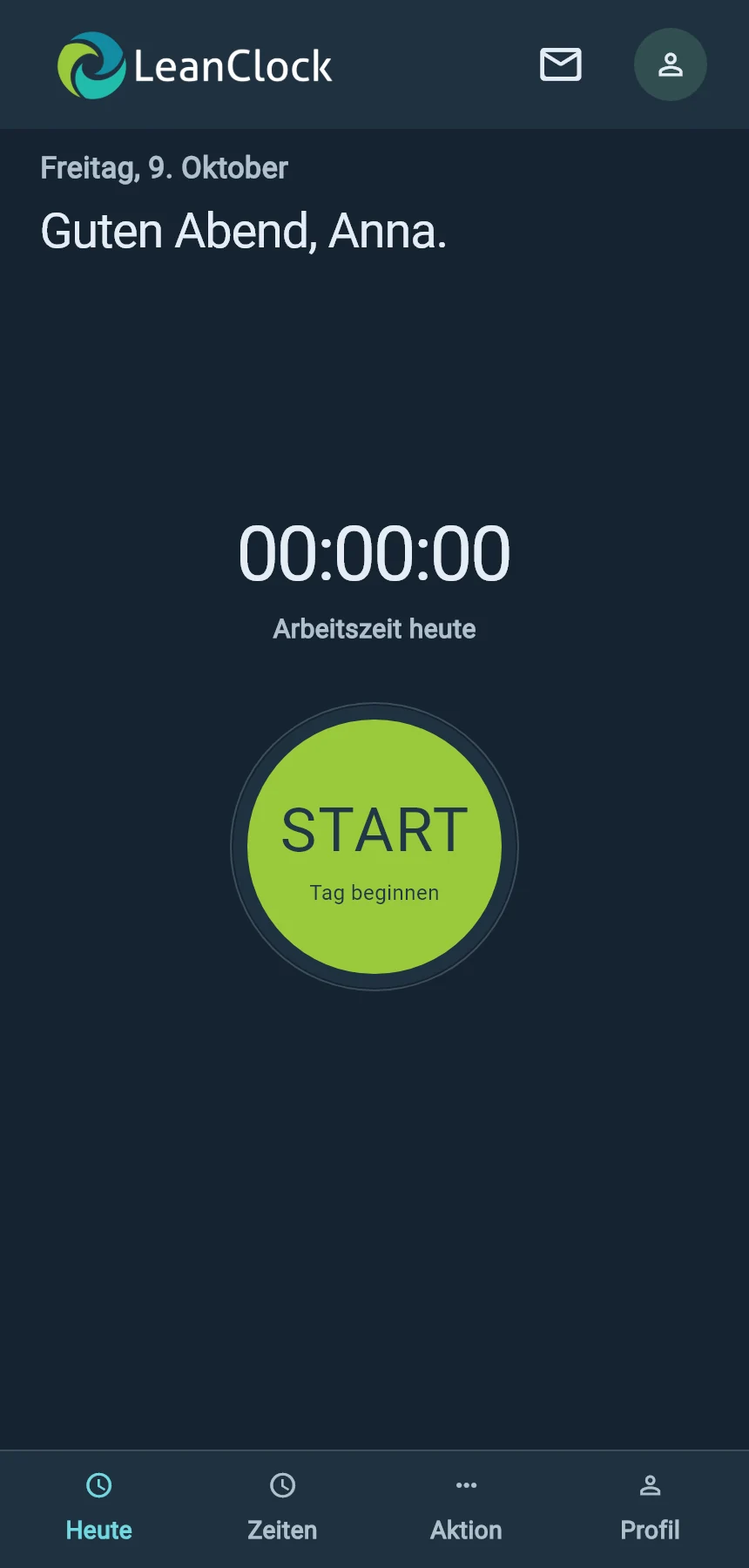
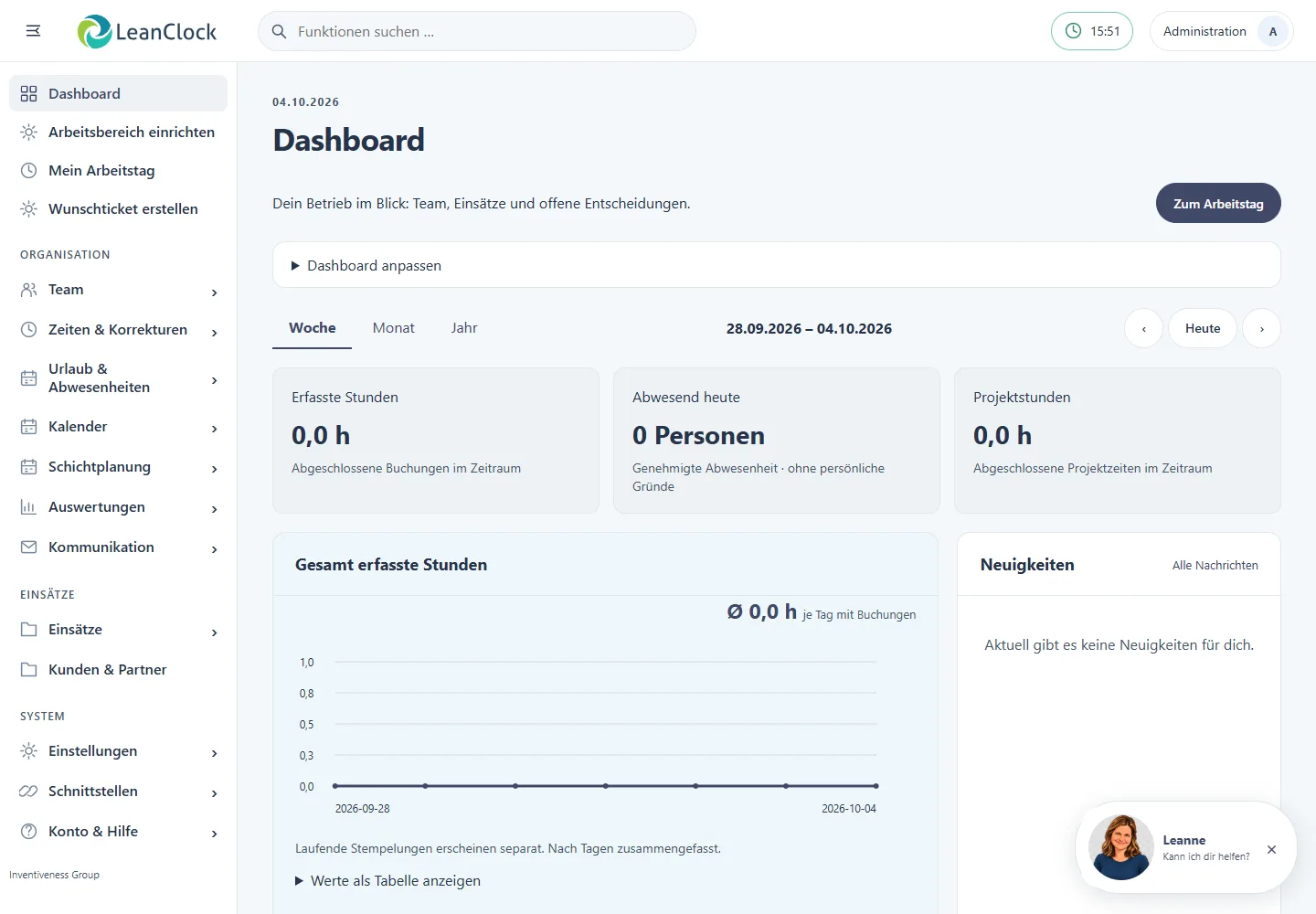
Manage your business in your browser. The native mobile app brings together time tracking, time entries, actions and your profile. The terminal guides you through signing in and clocking in. The native iOS app is currently being tested; Android is being prepared for distribution.
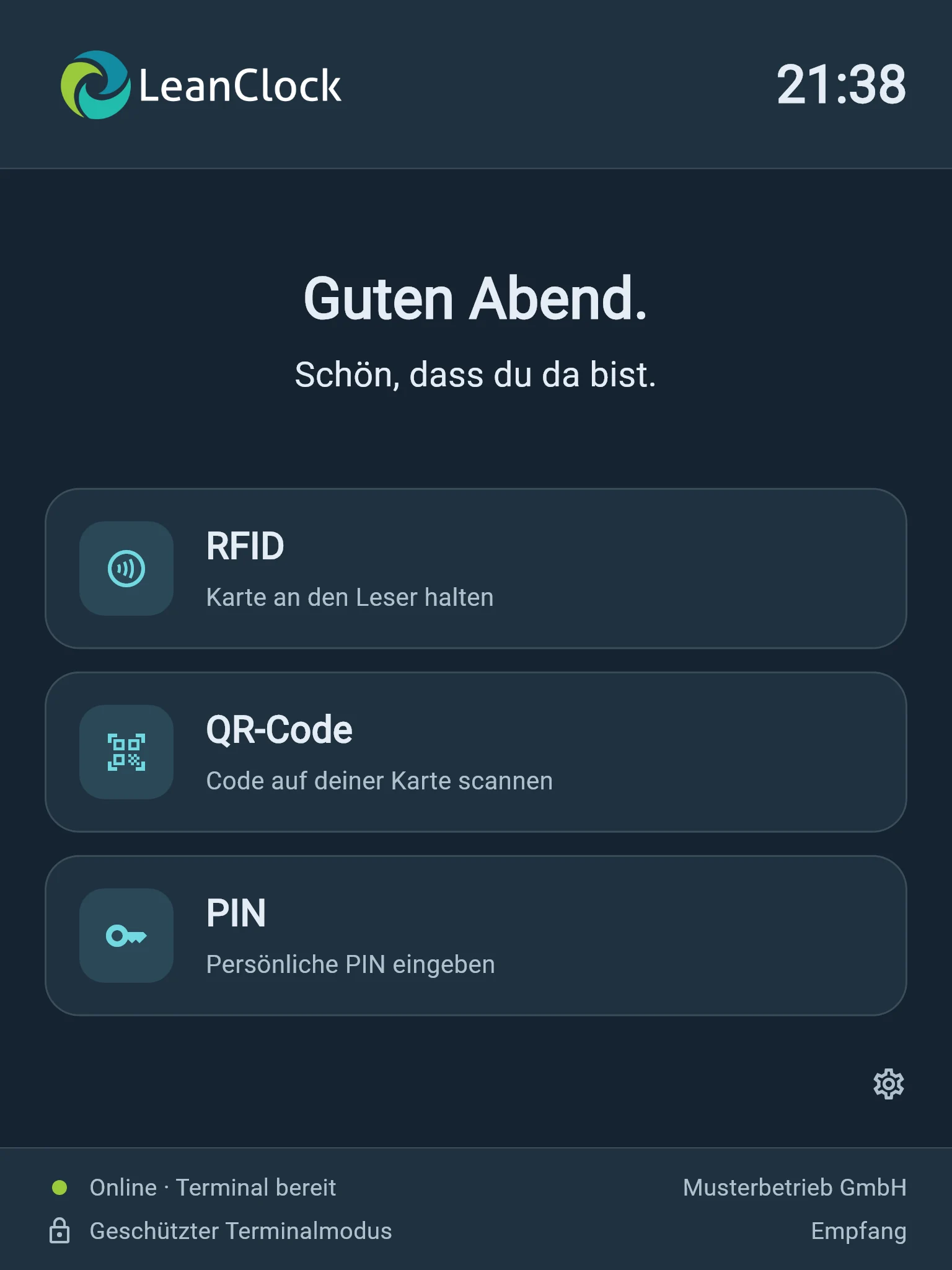
Current product views with fictional sample data. Availability depends on your plan, role and company permissions.
Photograph receipts or select photos and files – including for office-based employees. Add more pages to the same receipt, choose the crop yourself and create one A4 PDF with a description and an optional job reference. The original is preserved.
With an active paid AI add-on, Leanne checks readability and extracts recognizable receipt details. You review the suggestions and confirm which data to use.
Organize employees into teams and define responsibilities. Working hours and receipts stay linked to the employee and, where applicable, the job.
AI assistants for your working day
A question about operation, an agreement with the customer, the next steps after a conversation: LeanClock's AI extensions help you record information and continue working.
 Your personal assistant
Where do I request leave? How do I set up an employee account? Leanne explains each step directly in the app – no lengthy search through the manual.
“How can my new employee log in?”
Set up LeanneRecord an agreement or your thoughts as audio. AI turns the recording into text and suggests next tasks. You review and add to the result.
After the customer meeting: briefly record what was discussed.
Explore conversation notesWe agree with you which AI assistants you want to use. AI services are configured separately; scope, costs and usage budget are agreed before activation. Your team reviews the results before adding tasks.
Recordings only with appropriate authorization. You can find information on data processing in Privacy (German).
Film progress on site and explain what matters. Leanne analyzes sampled video frames and your spoken commentary to prepare a draft report.
Record progress, describe defects and prepare next steps.
Open video documentationFor companies with an activated AI add-on. Setup and costs by arrangement.
Record callers' requests for your team and prepare callbacks. This feature is planned and is not currently available.
Skilled trades · Service · Industry
Bring together working hours on site, travel and installation jobs with a clear record of each.
LeanClock for skilled tradesPlan customer assignments, record work and trips, and assign photos and receipts to the assignment.
LeanClock in serviceOrganize shifts, maintenance jobs and on-site teams. LeanClock complements your workflows; it does not replace an MES or ERP system.
LeanClock in industryDo you know these questions?
Many questions arise in the office. LeanClock organizes the information where you need it again.
“Who is where today?”
Check work status, scheduled jobs, planned leave and approved absences in the relevant views.
“Which job does this belong to?”
Working hours, photos and receipts share a reference to the same job.
“Who last had the tool case?”
Tool checkout, handover and return are recorded along with the person using the tool.
Your business. One shared overview.
For trades, service and industry – from assembly and field service to maintenance and the office.
Record work, travel and breaks. Open time blocks in the day's timeline, explain changes and close reviewed months.
Record the job, customer, address and contact person. Assign employees and find the documents linked to each job.
Invite employees with an invitation code, let them enter their personal details and provide documents in their secure inbox.
Find your requests and personal documents directly in LeanClock.
Manage your vehicle fleet and record tool movements with the employee, job and tool condition.
Your team confirms collection, handover and return directly in LeanClock.
Your calendar works with you
Once configured, LeanClock can connect to Microsoft 365. View and edit personal calendar events. Jobs, planned leave and approved absences are transferred from LeanClock to your selected calendar.
Plan assignments and absences in LeanClock and keep an eye on them in Outlook. You record your working hours separately in LeanClock.
Find the right planYour plan, role and company permissions determine your workspace. Outlook, AI and external data imports require separate setup. Direct DATEV payroll transfer is not yet available for production use.
PersonalCard
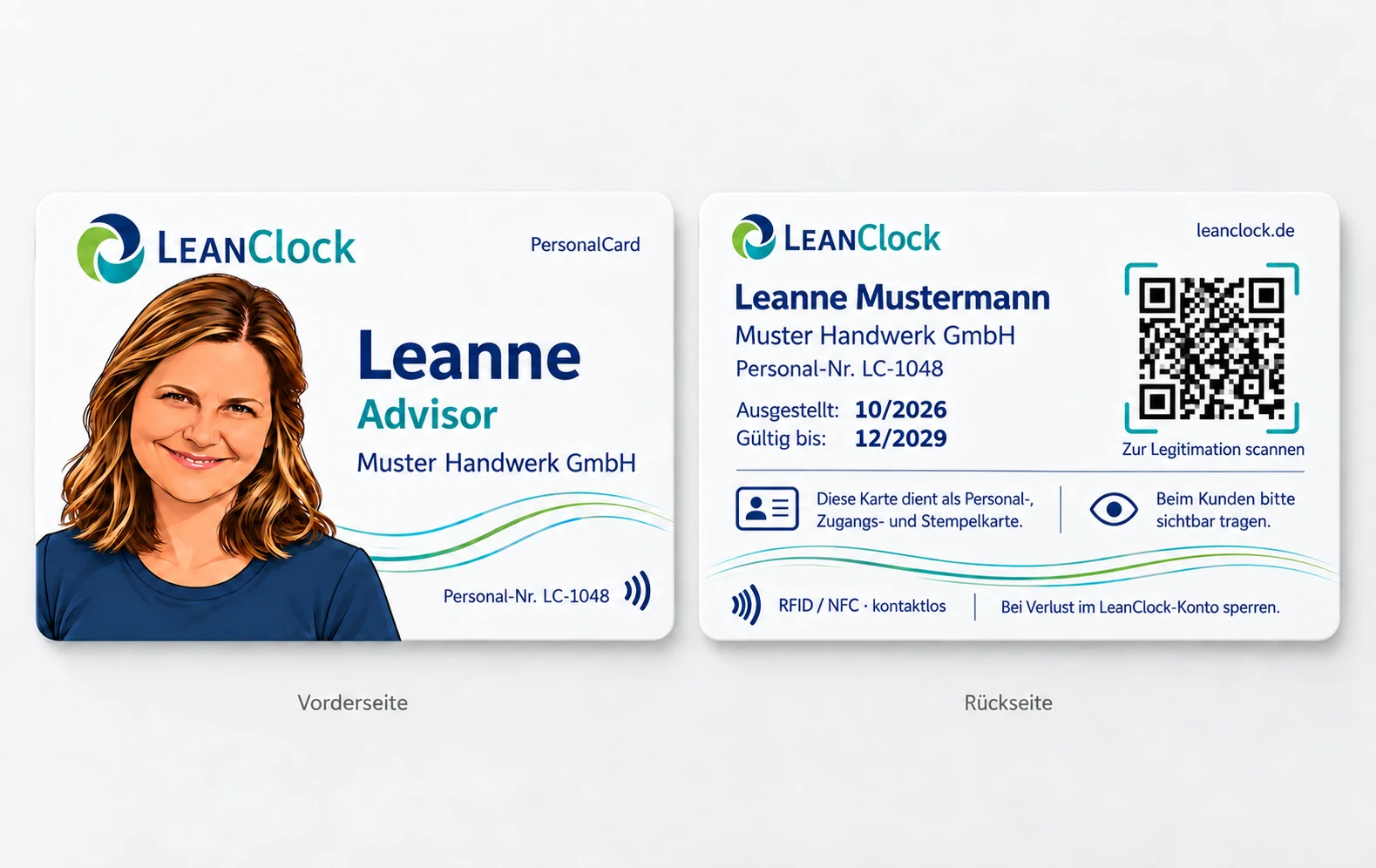
PersonalCard combines an employee ID with QR identification. RFID/NFC time tracking also requires suitable, configured and tested devices. Standard and PRO cards are assigned directly to an employee; QR identification and card status remain under server-side control.
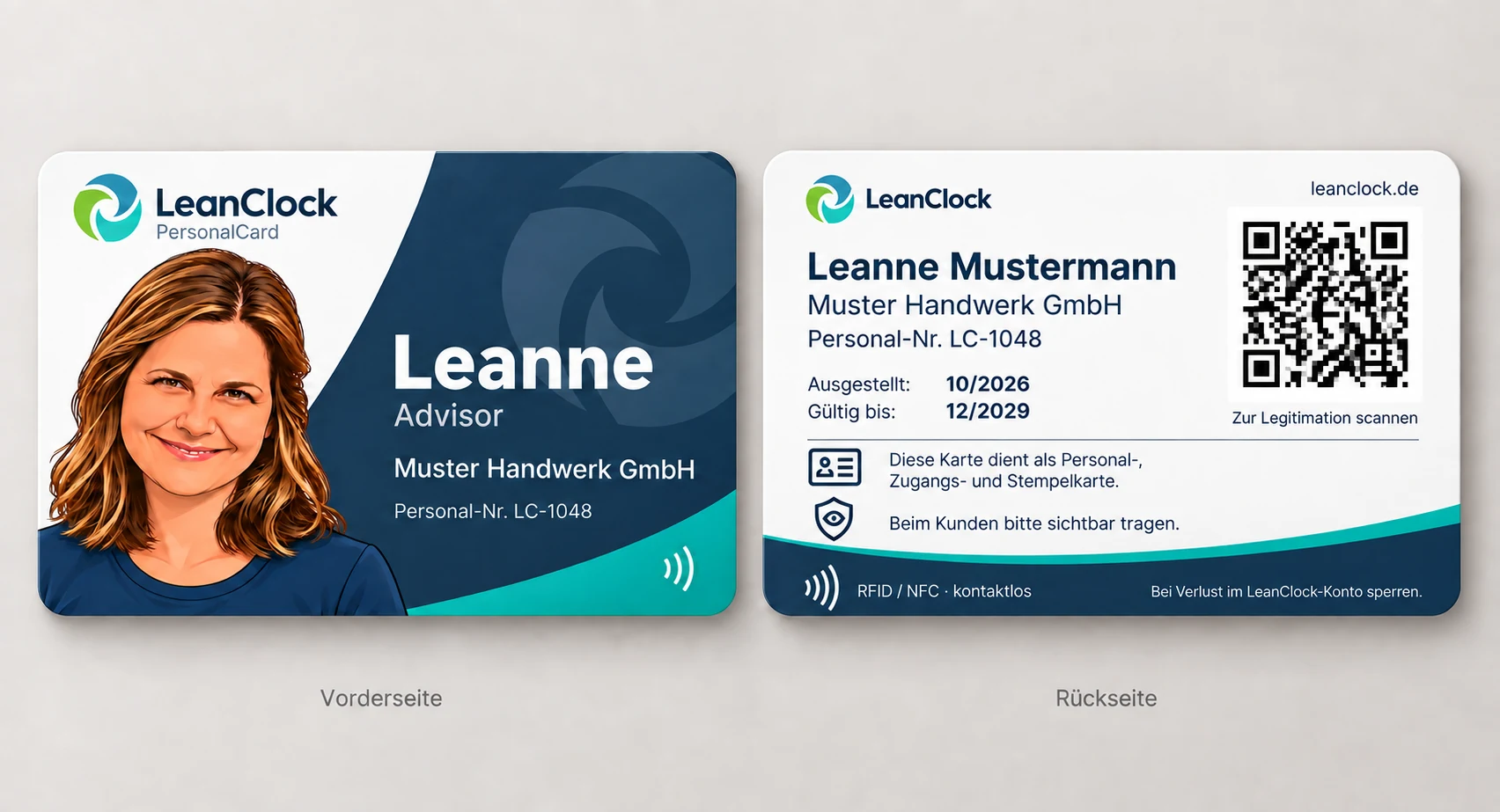
600-dpi retransfer printing, DESFire-EV3 RFID/NFC, individual QR code, photo and employee details.
Everything in Standard, plus transparent double-sided lamination. Printing, lamination and RFID quality checks take place during production.
Orders, print approvals, production status, activation, blocking and replacement cards remain traceable in the system.
Order PersonalCardsLeanClock plans
Starter is free forever for up to three users.
0 €
for 3 reusable licenses
3 €
Excluding VAT, per license per month
€36.00 excluding VAT per license for 12 months in advance.
6 €
Excluding VAT, per license per month
€72.00 excluding VAT per license for 12 months in advance.
Custom
Price excluding VAT, by agreement
Our offer is exclusively for businesses within the meaning of Section 14 of the German Civil Code (BGB), not consumers. All prices exclude statutory VAT. Pro and Expert are billed twelve months in advance for each license purchased. Unused license seats can be reassigned during their remaining term. Additional licenses can be purchased separately. Activate Starter without payment details unless you choose paid extras. Confirm paid purchases through PayPal after reviewing the cost summary. Licenses renew annually until you stop further renewals in license management.
Before getting started
LeanClock supports LeanKMS, your own AWS KMS, STACKIT and servers with a compatible API. Each tenant connection is configured on the server and tested before selection. Existing files retain their key references. Request LeanKMS through LeanSecure; a request is not activation. Your external provider connection needs its own availability check.
Choose “Get started – free forever”, create your company and activate Starter with up to three licenses. Starter without extras requires no payment details. Invite your team with an invitation code. Use “Log in” to access an existing account.
Yes. Open LeanClock in your browser on a smartphone, tablet or computer. The personal mobile view offers Today, Times, Action and Profile. Under Action, you can find jobs you are authorized to access, documentation, expenses, leave requests and sickness reporting. Choose system default, light or dark mode. An internet connection is required; no app installation is needed.
Yes. You can upload, exchange or remove your user photo via the profile at the top right. It appears in mobile and desktop view. The personal image is independent of the company logo and company branding in the Expert tariff.
An internet connection is required to start, change or end a time entry. Time tracking already in progress is preserved during a connection interruption. You can record new time entries once you are online again.
Starter includes time tracking, personal working-hours summaries and leave requests. Pro adds jobs, shift planning, tool management and Outlook, among other features. Expert adds advanced reports and branding with your company logo. The plan overview shows the included features. Your team confirms tool movements directly in the app. Reports and CSV exports are available for further processing of working hours.
Yes. With Expert, you can add your company logo and brand colors so your team works in an interface that matches your business.
Starter is free forever for up to 3 users. Pro costs €3 and Expert €6 per license per month, excluding statutory VAT. Enterprise is available by individual agreement for 50 or more employees. The annual fees are €36 for Pro and €72 for Expert per license, excluding VAT. Active employee accounts occupy license seats. Deactivating an account frees its seat for reuse until the end of its term without another charge. Additional licenses can be purchased separately.
Suitable for your everyday work
Discover specific processes for your business and the functions that fit them.
LeanClock · Inventiveness Group
Behind LeanClock is Inventiveness Group, a brand of LeanCredit GmbH in Minden.
Talk to us about the right plan for your team and the features you need for everyday work.
0571 / 78969208Our privacy policy explains what data we process and how to contact us with questions.
Read our privacy policySee plans, terms and costs before purchasing. A data processing agreement is required for processing business data.
More about the providerTime. Team. Jobs.
Start with up to three free employee licenses. A terminal uses a standard Pro license seat. Your team records working hours while you keep track of the next steps.
Start LeanClock for free